gift

Congrats! You've unlocked a limited-time exclusive 50% OFF!

Grab Now
Video2X
Video2X
    Home
    Pricing
Video2X
Video2X

Video2X is an online AI video upscaler. Enhance low-resolution videos to HD, 2K, or 4K β€” denoise, sharpen, and boost frame rate. No install, no GPU, no setup.

Video2X is an independent platform. All AI processing is performed using third-party models under their respective licenses. All trademarks belong to their respective owners.

Product
HomePricing
Legal
Privacy PolicyTerms of ServiceRefund Policy
πŸ‡ΊπŸ‡Έ EnglishπŸ‡ͺπŸ‡Έ EspaΓ±ol
Β© 2024 Video2X, All rights reserved
Privacy PolicyTerms of Service

Video2X: AI Video Upscaler β€” Up to 4K

Old home videos, anime, AI clips, gameplay Sharpen them to 4K β€” pick fast Video2X or pro-grade Topaz Enhance.

useruseruseruseruser
LIVE
5.0

from 0+ happy users

Active now
Verified

AI Video Upscaler

Drag a video here, or Click to select a file

Supports MP4, MOV Β· up to 200MB

Credits required:0
Plans from $14.90/month Β· Sign up to start

Upscaler Example

Before/after demo: low-resolution input sharpened by Video2X.

Process Records

Who Uses Video2X to Upscale Video

From childhood home videos to AI-generated clips and gameplay captures β€” Video2X handles every kind of footage. Pick the type that matches your project and we'll route it to the right engine.

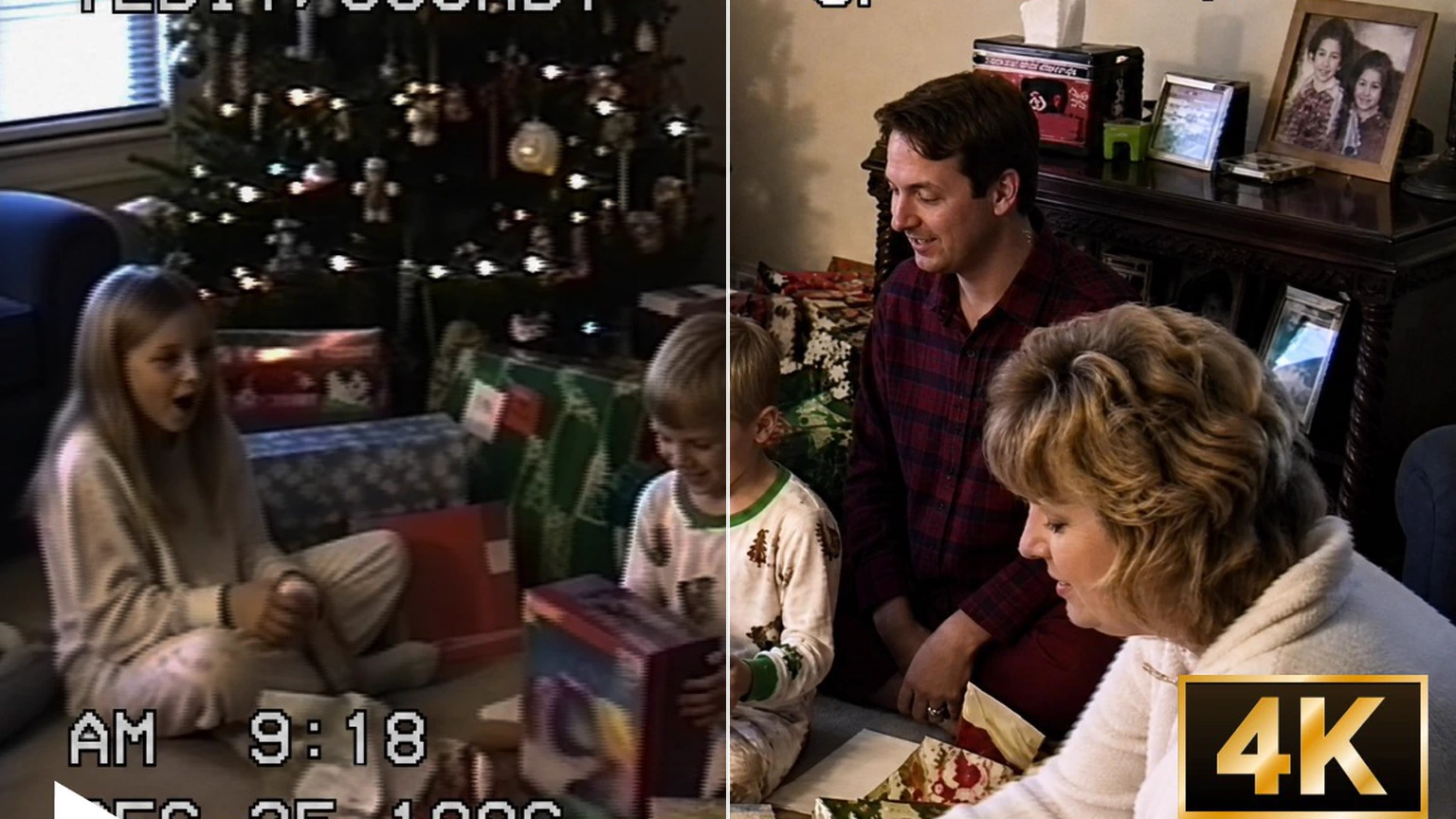
Family picnic home video upscaled with Video2X β€” faded low-resolution before, sharp 4K detail afterBeforeAfter

Restore Old Home Videos and VHS Archives

Family weddings, baby's first steps, old camcorder tapes β€” Video2X upscales blurry 480p or 720p footage to crisp HD or 4K. The Video2X engine targets noise, compression artifacts, and faded detail without inventing fake faces. Drop the clip in, pick your output resolution, and download a watchable version of memories you'd given up on.


Upscale an old video with Video2X
Anime upscaled to 4K with Video2X β€” soft lines before, crisp line art afterBeforeAfter

Sharpen Anime and Animation to 4K

Sharpen anime to 4K with clean lines and crisp colors. Video2X keeps line art sharp and avoids the 'AI plastic face' look you get from generic upscalers. Great for restoring older anime, fan edits, and clips ready for YouTube.

Upscale anime with Video2X
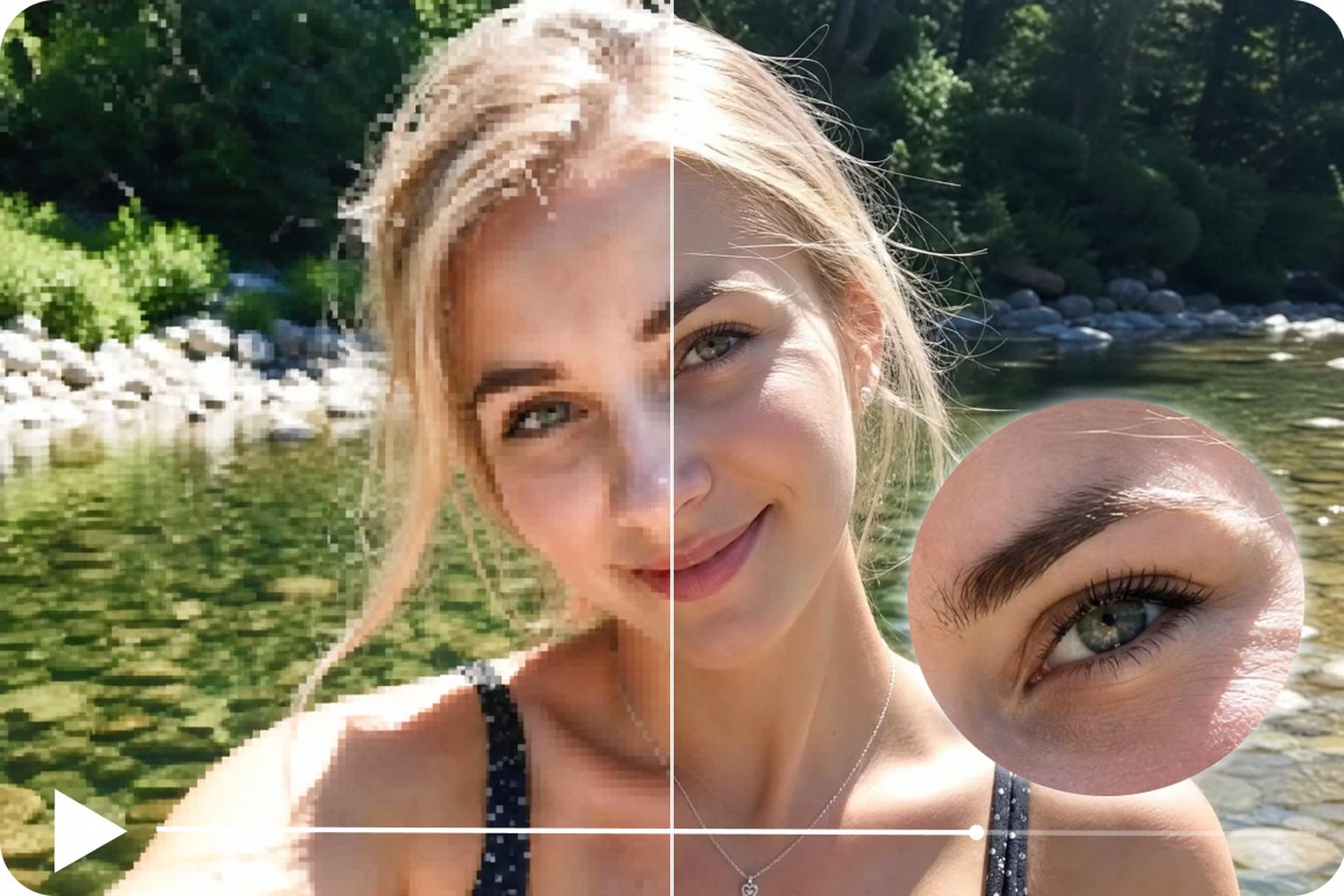
AI-generated video upscaled with Video2X β€” pixelated before, sharp 4K afterBeforeAfter

Polish AI-Generated Clips from Sora, Veo, Kling, Runway

Most text-to-video tools cap output at 720p or 1080p. Run the result through Video2X to push to 2K or 4K, recover fine detail in faces and motion, and bump frame rate to 60fps for smoother playback. Built for anyone shipping AI clips to social, music videos, or ad cuts.

Enhance an AI clip with Video2X
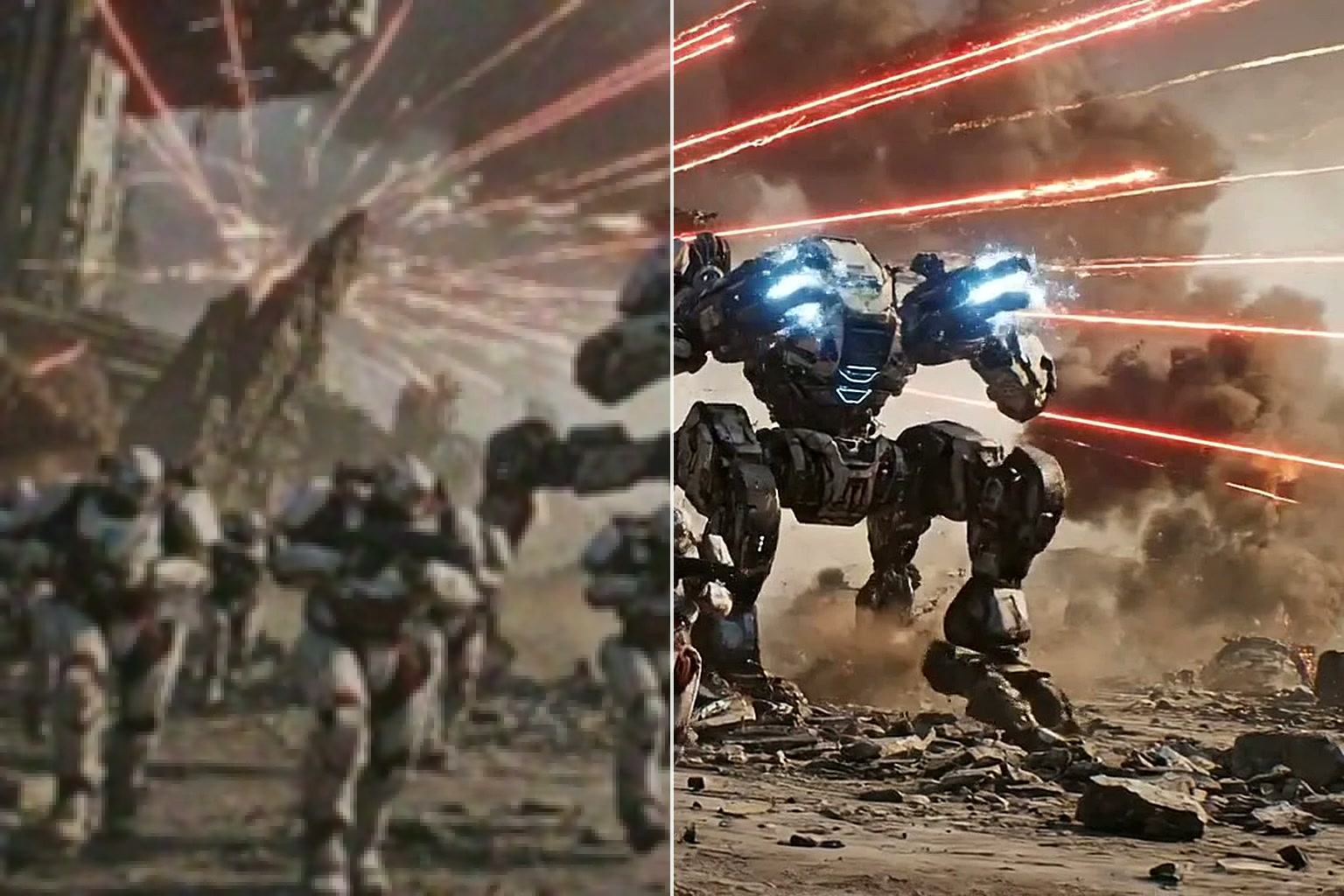
CG render upscaled with Video2X β€” blurry before, sharp detail afterBeforeAfter

Upscale Gameplay and Screen Recordings

Sharpen gameplay recordings and screen captures to 4K or 60fps. Video2X cleans up the blocky look you get from compressed video, sharpens on-screen text, and works the same on Mac, Windows, or Chromebook β€” no high-end gaming PC needed.

Upscale gameplay with Video2X
Nature footage upscaled with Video2X β€” noisy before, crisp detail afterBeforeAfter

Clean Up Creator and Social Media Footage

For creators, marketers, educators, and social teams who need cleaner uploads from phone clips, camera footage, livestream cuts, tutorials, and short-form exports. Video2X reduces phone-grade noise, recovers detail in dim shots, and outputs a watchable HD / 2K / 4K MP4 ready for TikTok, YouTube, Instagram, Reels, and Shorts.

Polish a creator video with Video2X

How Video2X Works in 3 Steps

From upload to a finished HD / 2K / 4K download β€” Video2X handles the AI processing. You just pick your settings.

WHAT VIDEO2X DELIVERS

Everything Video2X Can Do for You

Denoise, smooth motion up to 60fps, and upscale to 4K β€” one upload, and Video2X fixes everything your footage needs.

MP4 & MOV Supported

Drop in MP4 or MOV files up to 200MB. Video2X processes them and outputs a clean H.264 MP4 ready to share, archive, or upload.

01

Smooth 60fps Motion

Push 30fps source video up to a smoother 60fps for fluid motion. Great for sports highlights, gameplay footage, and old recordings that feel choppy.

02

Up to 4K Output

Pick 720p, 1080p, 2K, or 4K. Video2X scales your video to the resolution that fits your project β€” perfect for YouTube uploads, archive cleanups, or big-screen playback.

03

Up to 10 Minutes per Video

Upload videos up to 10 minutes long and 200MB per file. Long enough for most home videos, anime clips, gameplay highlights, AI-generated shorts, and tutorials. If your file is larger, trim or compress it before uploading.

04

Audio Kept Intact

Your video's original audio track stays in the output. No re-syncing voice to lips, no manual remixing β€” just a sharper version of the same video.

05

No Watermark, Ever

Every Video2X video downloads as a clean MP4 β€” no "Made with Video2X" badge in the corner, on any plan. All plans include full commercial usage rights.

06

Simple, transparent pricing

Choose the Video2X plan that fits your usage. Upgrade or cancel anytime β€” no contracts.

β€’ Subscription credits valid 1 month Β· Credit packs valid 1 year Β· Cancel anytime

Basic

$14.90$7.45/ mo
$89.40 / Year
πŸ”₯Save 50%

What's included

  • 1,000 credits per month
  • Upscale to HD / 2K / 4K
  • Denoise, sharpen & up to 60fps
  • Video2X + Topaz Enhance engines
  • No watermark, ever
  • Commercial use
  • Credits valid for 1 month
  • Priority email support
Most Popular

Pro

$39.90$19.90/ mo
$238.80 / Year
πŸ”₯Save 50%

What's included

  • 3,000 credits per month
  • Upscale to HD / 2K / 4K
  • Denoise, sharpen & up to 60fps
  • Video2X + Topaz Enhance engines
  • No watermark, ever
  • Commercial use
  • Credits valid for 1 month
  • Priority email support

Max

$99.90$49.90/ mo
$598.80 / Year
πŸ”₯Save 50%

What's included

  • 7,000 credits per month
  • Upscale to HD / 2K / 4K
  • Denoise, sharpen & up to 60fps
  • Video2X + Topaz Enhance engines
  • No watermark, ever
  • Commercial use
  • Credits valid for 1 month
  • Priority email support

Manage or cancel anytime in My Account β†’ My Orders. Questions? support@video2x.io

FAQ

Frequently Asked Questions About Video2X

Got questions about Video2X? Find answers below or reach out to our support team.

01

What is Video2X Online?

Video2X Online is an AI video upscaler you use in your browser. Upload a low-resolution video, pick HD, 2K, or 4K, and Video2X enhances detail, removes noise, and cleans compression artifacts before sending you a sharper version. No install, no setup β€” just open the page and drop your video.

02

What does Video2X do for my video?

Video2X improves the quality of low-resolution or blurry videos. It sharpens detail, reduces noise and grain, smooths out compression artifacts, and can output higher resolutions (up to 4K) and smoother frame rates (up to 60fps). Common uses: restoring old home videos, sharpening anime, polishing AI-generated clips, and cleaning up phone or gameplay recordings before uploading.

03

How do I upscale a video with Video2X?

Three steps. (1) Upload an MP4 or MOV file. (2) Choose your target resolution (720p, 1080p, 2K, or 4K) and whether you want 60fps. (3) Video2X processes the video in the cloud and saves the result to My Creations when it's ready. You can close the tab while it works β€” open My Creations (click your avatar in the top-right after sign-in) any time to download your video.

04

What video formats does Video2X support?

Video2X accepts MP4 and MOV files up to 200MB. The output is always a clean H.264 MP4. Common sources work: phone recordings, screen captures, exports from Premiere / Final Cut / DaVinci Resolve, and AI-generated clips from Sora, Veo, Kling, or Runway.

05

How long does the upscaling process take?

It depends on the length of your video and the target resolution. Short clips finish quickly; longer or 4K jobs take a bit more time. You don't have to wait on the page β€” your sharper version will be saved to My Creations the moment it's ready.

06

How is the quality of upscaled videos? Will there be quality loss?

Most videos come out sharper, not softer. Video2X reduces noise, recovers fine detail, and clears compression artifacts, so the result looks cleaner than what you uploaded. How much it improves depends on the original β€” a slightly blurry clip can gain a lot, while footage that's missing detail entirely has less to work with. Before processing, Video2X shows you the exact engine and settings it'll use, so you always know what you're getting.

07

How long can my video be? Are there file size limits?

You can upload videos up to 10 minutes long and up to 200MB per file. Most home videos, anime clips, gameplay highlights, and AI-generated shorts fit comfortably within these limits. If your file is larger, trim or compress it before uploading.

08

Does Video2X work on Mac, iPad, and phone?

Yes. Video2X Online runs in any modern browser, so the same upscaler works on Mac (including M-series chips), Windows, iPad, Chromebook, and phones. The processing happens on our cloud servers β€” your device only handles the upload and download.

09

How does Video2X handle my video data and privacy?

Your uploads go into private cloud storage that only your account can access. Source files are deleted after 7 days, output files after 30 days. Neither is used to train models, shared publicly, or shown to other users. Explicit or NSFW content is not permitted under our Terms.

10

What subscription plans does Video2X Online offer?

Video2X is a paid cloud upscaling service. Plans start at $14.90 per month. Each plan includes a credit allowance; each job consumes credits based on duration, engine, resolution, and frame rate, with the exact cost shown before you submit.

11

Can I cancel anytime, and is the payment secure?

Yes to both. Cancel from My Account at any time β€” there is no cancellation fee and no retention call. Payments are processed through trusted payment gateways; Video2X does not store your full card details on our servers.

12

How can I get help if I have a problem?

Email support@video2x.io β€” we typically reply the same business day. If a job fails for any reason (bad file, processing error, platform issue), your credits are automatically refunded to your account and you'll see the failure reason in My Creations. You don't need to file a ticket for failed jobs.

Have more questions?Contact our support team β†’

Upload a video β€” we'll do the rest in the cloud

Drop your video, pick HD / 2K / 4K, and we'll save the sharper version to My Creations. Plans start at $14.90 a month β€” exact cost shown before you confirm. Cancel anytime.

Upload your first videoSee Video2X pricing